Process: Auto Allocation
[Created: 15/08/2004 - Updated: 02/01/2000 ]
Description: Automatic allocation of invoices to payments
Help: Try to allocate invoices to payments for a business partner or group. You may want to reset existing allocations first.The allocation is based on (1) payments entered with reference to invoices (2) payment selections (3) business partner balance (4) matching amount of invoice & payment. Allocation is based on exact amount and includes AP/AR imvoices/payments.Optionally as (5), you can enable to allocate payments to the oldest invoice. In this case, there might be an unallocated amount remaining.
Class: org.compiere.process.AllocationAuto
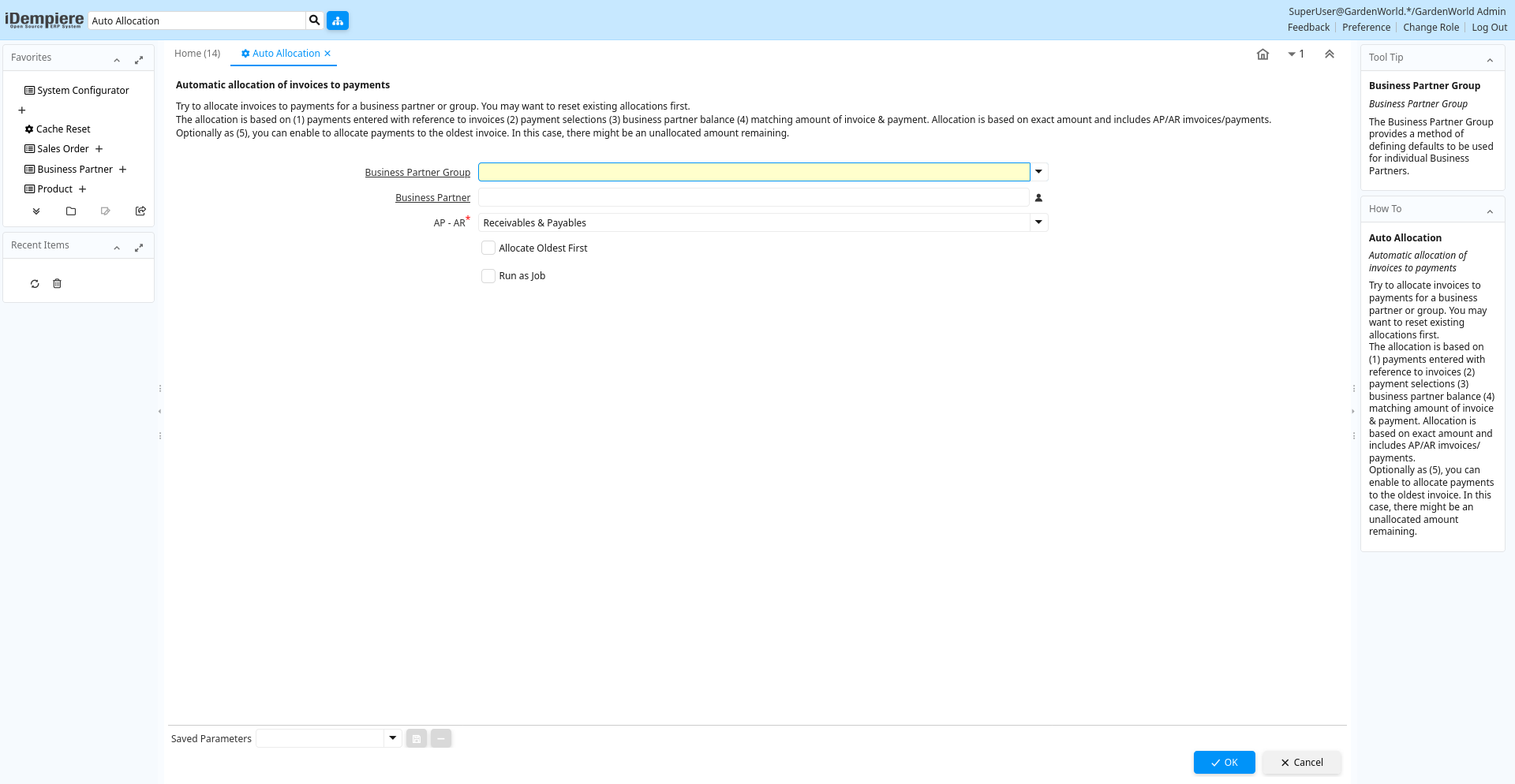
Table: Process Parameters
| Name | Description | Help | Technical Info |
|---|---|---|---|
| Business Partner Group | Business Partner Group | The Business Partner Group provides a method of defining defaults to be used for individual Business Partners. | C_BP_Group_ID Table Direct |
| Business Partner | Identifies a Business Partner | A Business Partner is anyone with whom you transact. This can include Vendor, Customer, Employee or Salesperson | C_BPartner_ID Search |
| AP - AR | Include Receivables and/or Payables transactions | APAR List | |
| Allocate Oldest First | Allocate payments to the oldest invoice | Allocate payments to the oldest invoice. There might be an unallocated amount remaining. | AllocateOldest Yes-No |