Workflow: Performance Measurement Setup
[Created: 24/04/2001 - Updated: 25/12/2005 ]
Description: Setup your Performance Measurement
Help: This workflow guides you through setting up your performance measurement based on Key Performance Indicators, Balanced Scorecard, etc.Most important: Do your analysis first!- What are your goals and how do you measure it?When you are setting up the system, you do it in reverse:First you define how you measure it and last you define the goals for the measurements.You have three ways measuring performance:- via quantifiable measures (e.g. sales of million in Q1)- via manual measures- via achievements (tasks)The system converts the measures into percentages (based on the target and achieved measure - or number of total and reached achievements)
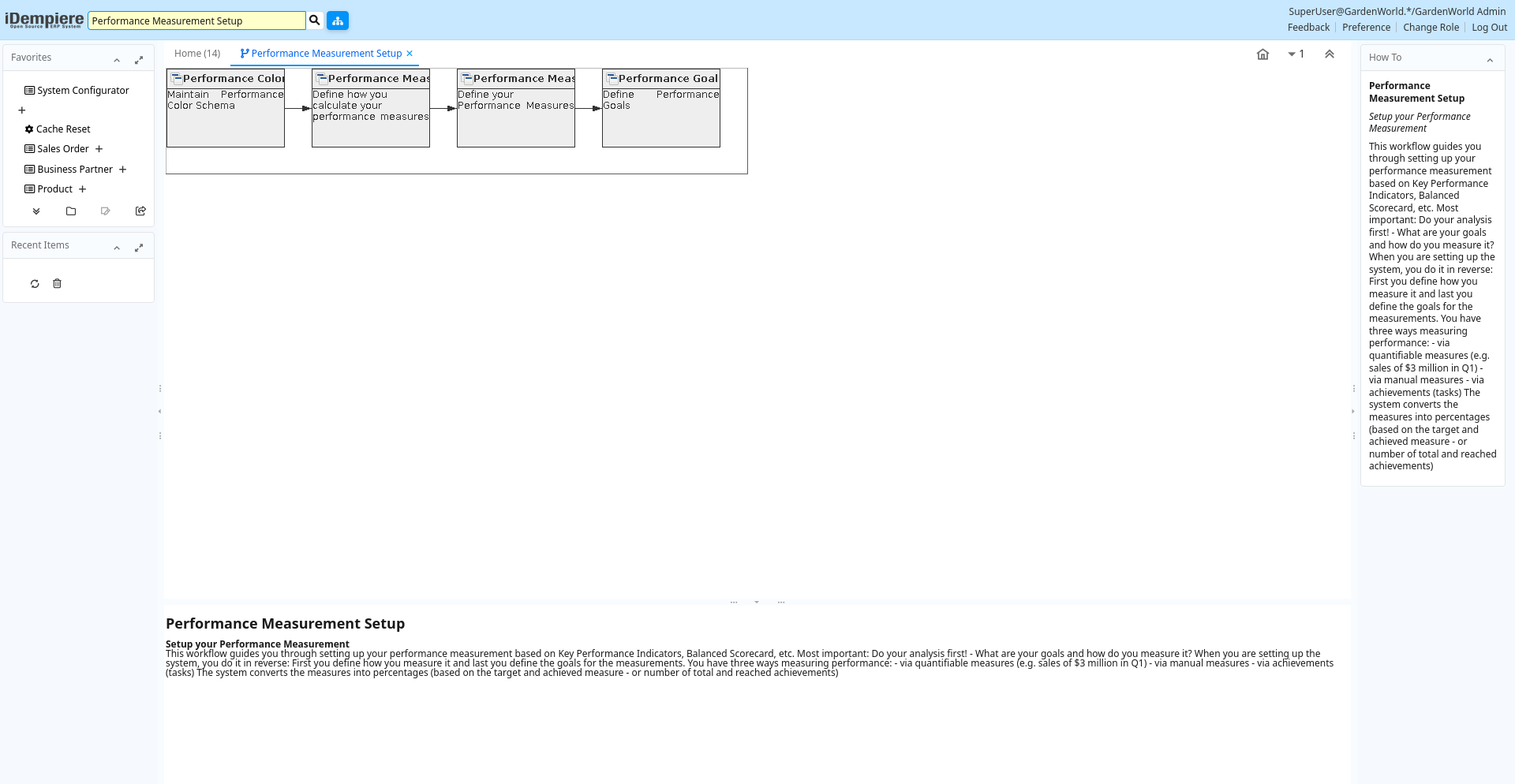
Table: Fields
| Name | Description | Help | Type | Zoom |
|---|---|---|---|---|
| Performance Color Schema | Maintain Performance Color Schema | Visual representation of performance by color. The Schema has often three levels (e.g. red-yellow-green). iDempiere supports two levels (e.g. red-green) or four levels (e.g. gray-bronce-silver-gold). Note that Measures without a goal are represented white. The percentages could be between 0 and unlimited (i.e. above 100%). | User Window | Performance Color Schema |
| Performance Measure Calculation | Define how you calculate your performance measures | The Performance Measure Calculation defines how performance measures will be calculated.The sql needs to return a single value. Please check examples.The date restriction is defined in the Goal.Any restrictions for Organizations, Business Partners, Products, etc. are as Performance Goal Restrictions. | User Window | Performance Measure Calculation |
| Performance Measure | Define your Performance Measures | The Performance Measure Window allows you to define the rules and restrictions for performance measurement. You can, for example, restrict performance measurement to sales for a certain product category for a defined time frame. | User Window | Performance Measure |
| Performance Goal | Define Performance Goals | The Performance Goal Window allows you to define performance goals or all, a role or a user | User Window | Performance Goal |