Workflow: Request Setup
[Created: 08/12/2001 - Updated: 10/03/2022 ]
Description: Set up the tenant to process requests
Help:
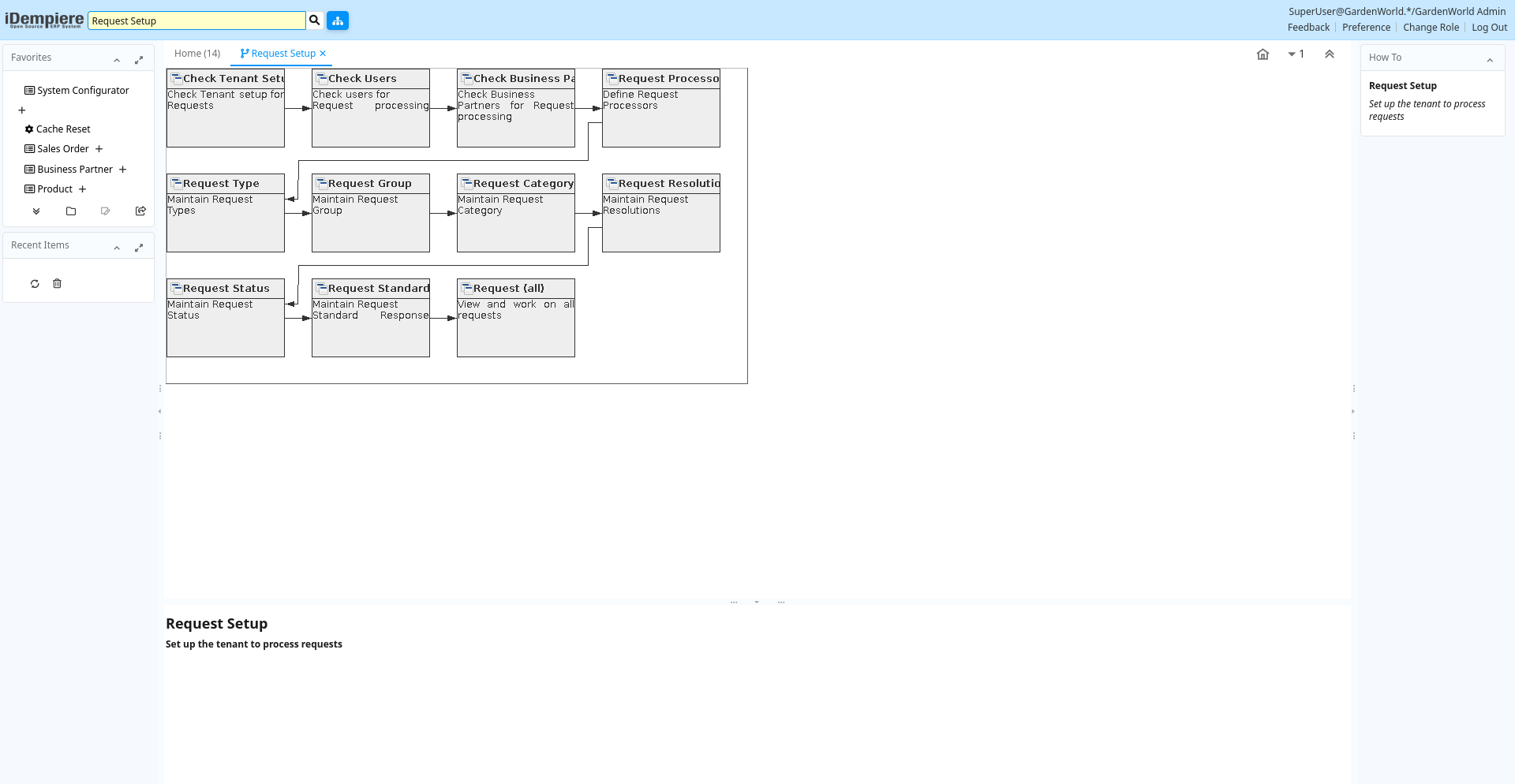
Table: Fields
| Name | Description | Help | Type | Zoom |
|---|---|---|---|---|
| Check Tenant Setup | Check Tenant setup for Requests | You need to have a mail server and an email address from which the requets an notifications are sent. Optionally, if you define a mail user and password, requests are read from the mail users's folder and imported into the system. | User Window | Tenant |
| Check Users | Check users for Request processing | Please ensure that users have a email address and supervisor assigned. | User Window | User |
| Check Business Partners | Check Business Partners for Request processing | You can send EMails to businbess partners. Make sure, that the business partners and/or the Contacts have email addresses. | User Window | Business Partner |
| Request Processor | Define Request Processors | The Request Processor Window allows you to define different processes that you want to occur and the frequency and timing of these processes A Request Processor can be just for a specific Request Type or for all. | User Window | Request Processor |
| Request Type | Maintain Request Types | Request Types are used for processing and categorizing requests. Options are Account Inquiry, Warranty Issue, etc. | User Window | Request Type |
| Request Group | Maintain Request Group | Group of requests (e.g. version numbers, responsibility, ...) | User Window | Request Group |
| Request Category | Maintain Request Category | Category or Topic of the Request | User Window | Request Category |
| Request Resolution | Maintain Request Resolutions | Resolution status (e.g. Fixed, Rejected, ..) | User Window | Request Resolution |
| Request Status | Maintain Request Status | Status if the request (open, closed, investigating, ..) | User Window | Request Status |
| Request Standard Response | Maintain Request Standard Response | Text blocks to be copied into request response text | User Window | Request Standard Response |
| Request (all) | View and work on all requests | This Request window is used to view all available requests | User Window | Request (all) |