Workflow: Tax Setup
[Created: 05/04/2001 - Updated: 03/03/2008 ]
Description: Setup tax calculation
Help: Setup the tax calculation for products, services and charges
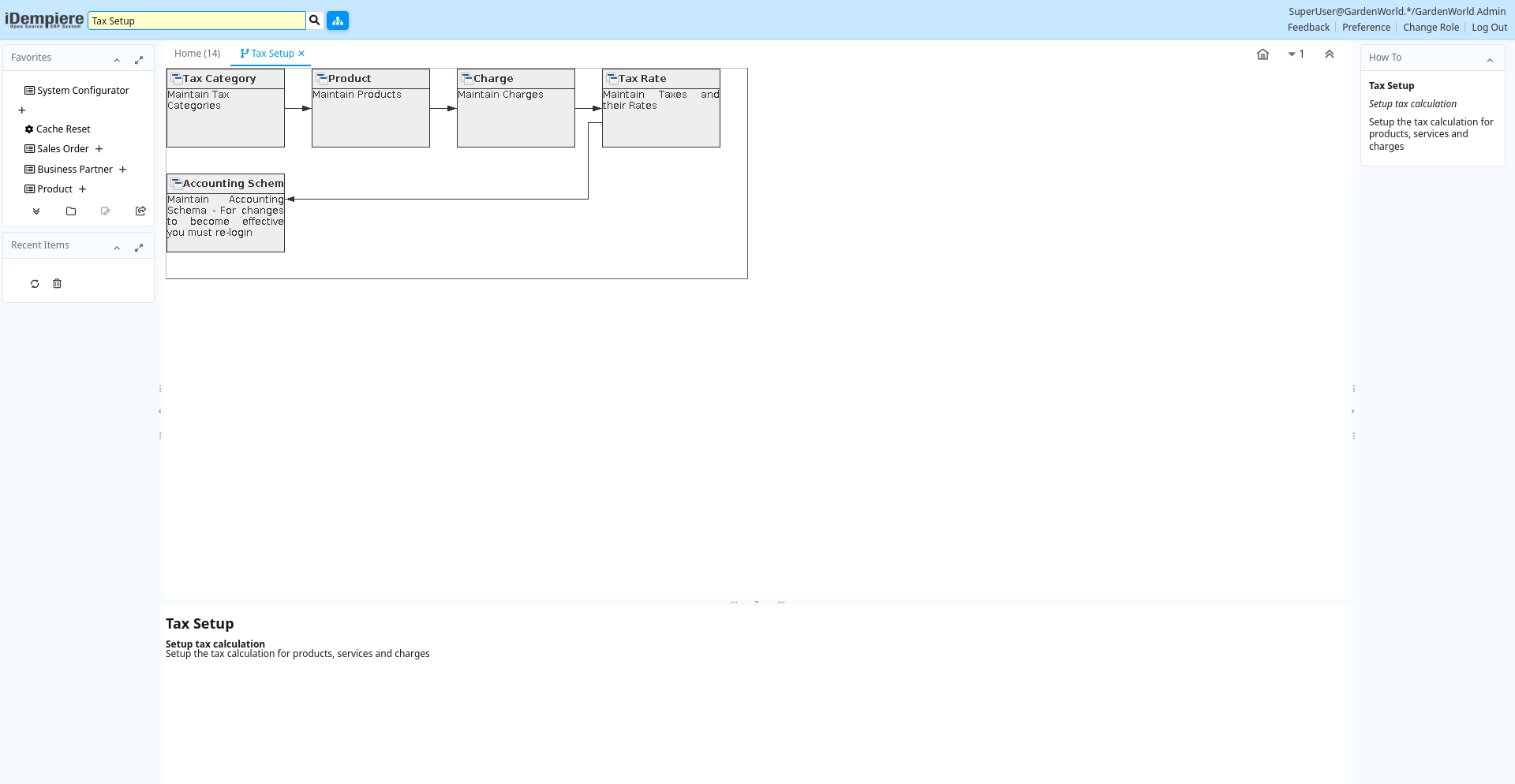
Table: Fields
| Name | Description | Help | Type | Zoom |
|---|---|---|---|---|
| Tax Category | Maintain Tax Categories | The Tax Category Window is used to enter and maintain Tax Categories. Each product is associated with a tax category which facilitates reacting changing tax rates. | User Window | Tax Category |
| Product | Maintain Products | The Product Window defines all products used by an organization. These products include those sold to customers, used in the manufacture of products sold to customers and products purchased by an organization. | User Window | Product |
| Charge | Maintain Charges | The Charges Window defines the different charges that may be incurred. These can include Bank Charges, Vendor Charges and Handling Charges. | User Window | Charge |
| Tax Rate | Maintain Taxes and their Rates | The Tax Rate Window defines the different taxes used for each tax category. For example Sales Tax must be defined for each State in which it applies. | User Window | Tax Rate |
| Accounting Schema | Maintain Accounting Schema - For changes to become effective you must re-login | The Accounting Schema Window defines an accounting method and the elements that will comprise an account structure. Create and activate elements for detailed accounting for Business Partners, Products, Locations, etc.Review and change the GL and Default accounts. The actual accounts used in transactions depend on the executing organization; Most of the information is derived from the context. | User Window | Accounting Schema |