Workflow: Project Setup and Use
[Created: 05/12/1999 - Updated: 25/12/2005 ]
Description: Setup of projects and project reporting
Help: Projects allow to monitor the status and progress of sales opportunities, service projects and investment projects. A Project is a process that is undertaken which can involve multiple steps or phases and require resources from more than one area.
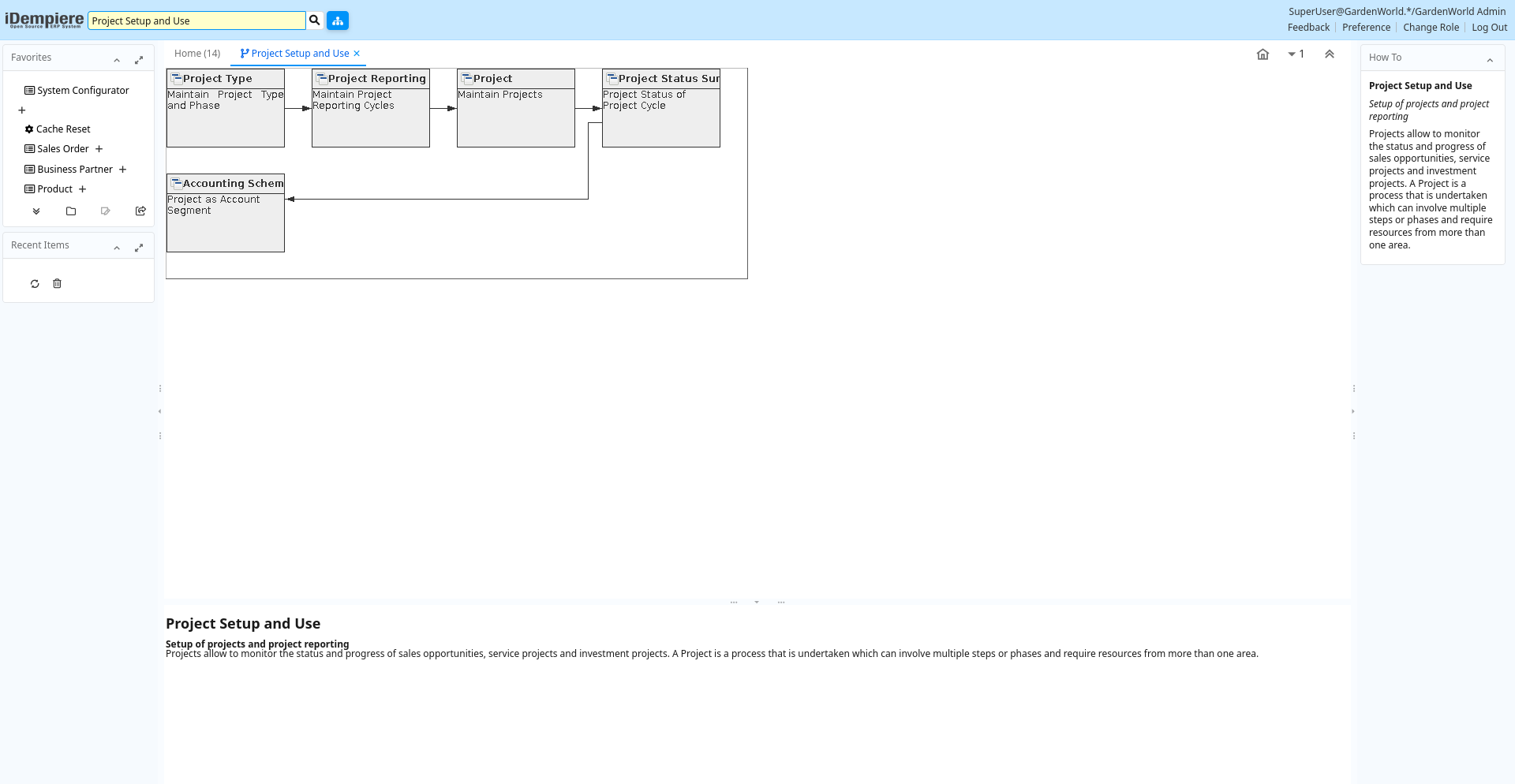
Table: Fields
| Name | Description | Help | Type | Zoom |
|---|---|---|---|---|
| Project Type | Maintain Project Type and Phase | Maintain Project Types and their Phases with standard performance information | User Window | Project Type |
| Project Reporting | Maintain Project Reporting Cycles | The Project Cycle Window defines the steps associated with a specific Project.You may want to define several Project cycles to differentiate the different types of projects. Project cycles may use all or a subset of the used Project Status (e.g. Your opportunity project cycle may include the steps from prospect to contract - the service cycle may include steps from installation to customer acceptance. | User Window | Project Reporting |
| Project | Maintain Projects | The Project Window is used to define the projects which will can be tracked by phases and tasks. | User Window | Project |
| Project Status Summary | Project Status of Project Cycle | User Window | Project (Lines/Issues) | |
| Accounting Schema | Project as Account Segment | To enable accounting reporting of projects, create and enable a project segment in the account elements. | User Window | Accounting Schema |