Window: All User Roles
[Created: 31/01/2019 - Updated: 31/01/2019 ]
Description:
Help:
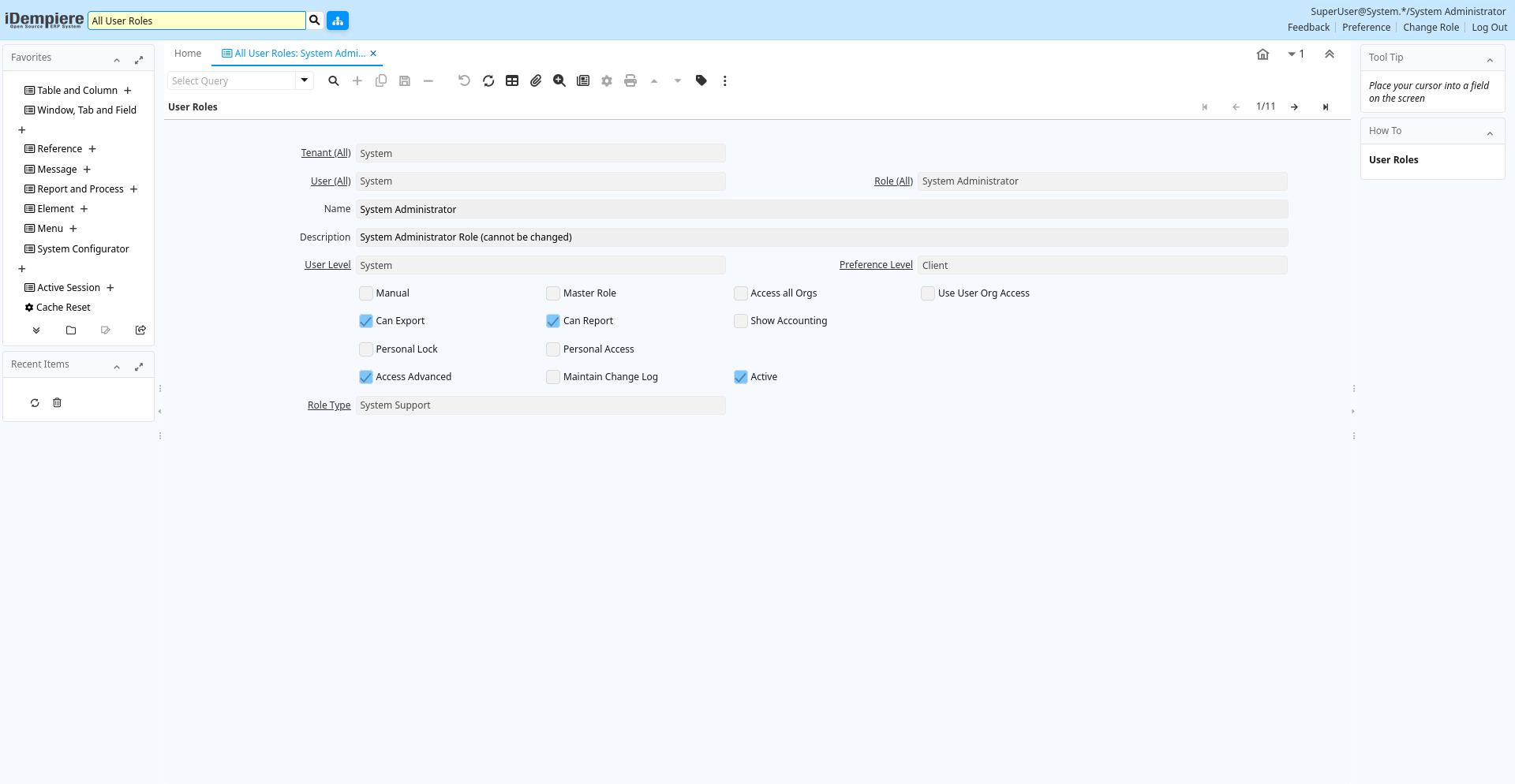
Tab: User Roles
[Created: 31/01/2019 - Updated: 31/01/2019 ]
Description:
Help:
Tab Level: 0
Table 10: User Roles - Fields
Table: Report Parameters
| Name | Description | Help | Technical Info |
|---|---|---|---|
| Tenant (All) | ad_alluserroles_v.AD_AllClients_V_ID numeric(10) Table Direct | ||
| User (All) | ad_alluserroles_v.AD_AllUsers_V_ID numeric(10) Table Direct | ||
| Role (All) | ad_alluserroles_v.AD_AllRoles_V_ID numeric(10) Table Direct | ||
| Name | Alphanumeric identifier of the entity | The name of an entity (record) is used as an default search option in addition to the search key. The name is up to 60 characters in length. | ad_alluserroles_v.Name character varying(60) String |
| Description | Optional short description of the record | A description is limited to 255 characters. | ad_alluserroles_v.Description character varying(255) String |
| User Level | System Tenant Organization | The User Level field determines if users of this Role will have access to System level data, Organization level data, Tenant level data or Tenant and Organization level data. | ad_alluserroles_v.UserLevel character(3) List |
| Preference Level | Determines what preferences the user can set | Preferences allow you to define default values. If set to None, you cannot set any preference nor value preference. Only if set to Tenant, you can see the Record Info Change Log. | ad_alluserroles_v.PreferenceType character(1) List |
| Manual | This is a manual process | The Manual check box indicates if the process will done manually. | ad_alluserroles_v.IsManual character(1) Yes-No |
| Master Role | A master role cannot be assigned to users, it is intended to define access to menu option and documents and inherit to other roles | ad_alluserroles_v.IsMasterRole character(1) Yes-No | |
| Access all Orgs | Access all Organizations (no org access control) of the tenant | When selected, the role has access to all organizations of the tenant automatically. This also increases performance where you have many organizations. | ad_alluserroles_v.IsAccessAllOrgs character(1) Yes-No |
| Use User Org Access | Use Org Access defined by user instead of Role Org Access | You can define the access to Organization either by Role or by User. You would select this, if you have many organizations. | ad_alluserroles_v.IsUseUserOrgAccess character(1) Yes-No |
| Can Export | Users with this role can export data | You can restrict the ability to export data from iDempiere. | ad_alluserroles_v.IsCanExport character(1) Yes-No |
| Can Report | Users with this role can create reports | You can restrict the ability to report on data. | ad_alluserroles_v.IsCanReport character(1) Yes-No |
| Show Accounting | Users with this role can see accounting information | This allows to prevent access to any accounting information. | ad_alluserroles_v.IsShowAcct character(1) Yes-No |
| Personal Lock | Allow users with role to lock access to personal records | If enabled, the user with the role can prevent access of others to personal records. If a record is locked, only the user or people who can read personal locked records can see the record. | ad_alluserroles_v.IsPersonalLock character(1) Yes-No |
| Personal Access | Allow access to all personal records | Users of this role have access to all records locked as personal. | ad_alluserroles_v.IsPersonalAccess character(1) Yes-No |
| Access Advanced | ad_alluserroles_v.IsAccessAdvanced character(1) Yes-No | ||
| Maintain Change Log | Maintain a log of changes | If selected, a log of all changes is maintained. | ad_alluserroles_v.IsChangeLog character(1) Yes-No |
| Active | The record is active in the system | There are two methods of making records unavailable in the system: One is to delete the record, the other is to de-activate the record. A de-activated record is not available for selection, but available for reports.There are two reasons for de-activating and not deleting records:(1) The system requires the record for audit purposes.(2) The record is referenced by other records. E.g., you cannot delete a Business Partner, if there are invoices for this partner record existing. You de-activate the Business Partner and prevent that this record is used for future entries. | ad_alluserroles_v.IsActive character(1) Yes-No |
| Role Type | ad_alluserroles_v.RoleType character varying(2) List |