Window: Role Toolbar Button Access
[Created: 28/03/2012 - Updated: 23/10/2012 ]
Description: Maintain toolbar button access rule
Help:
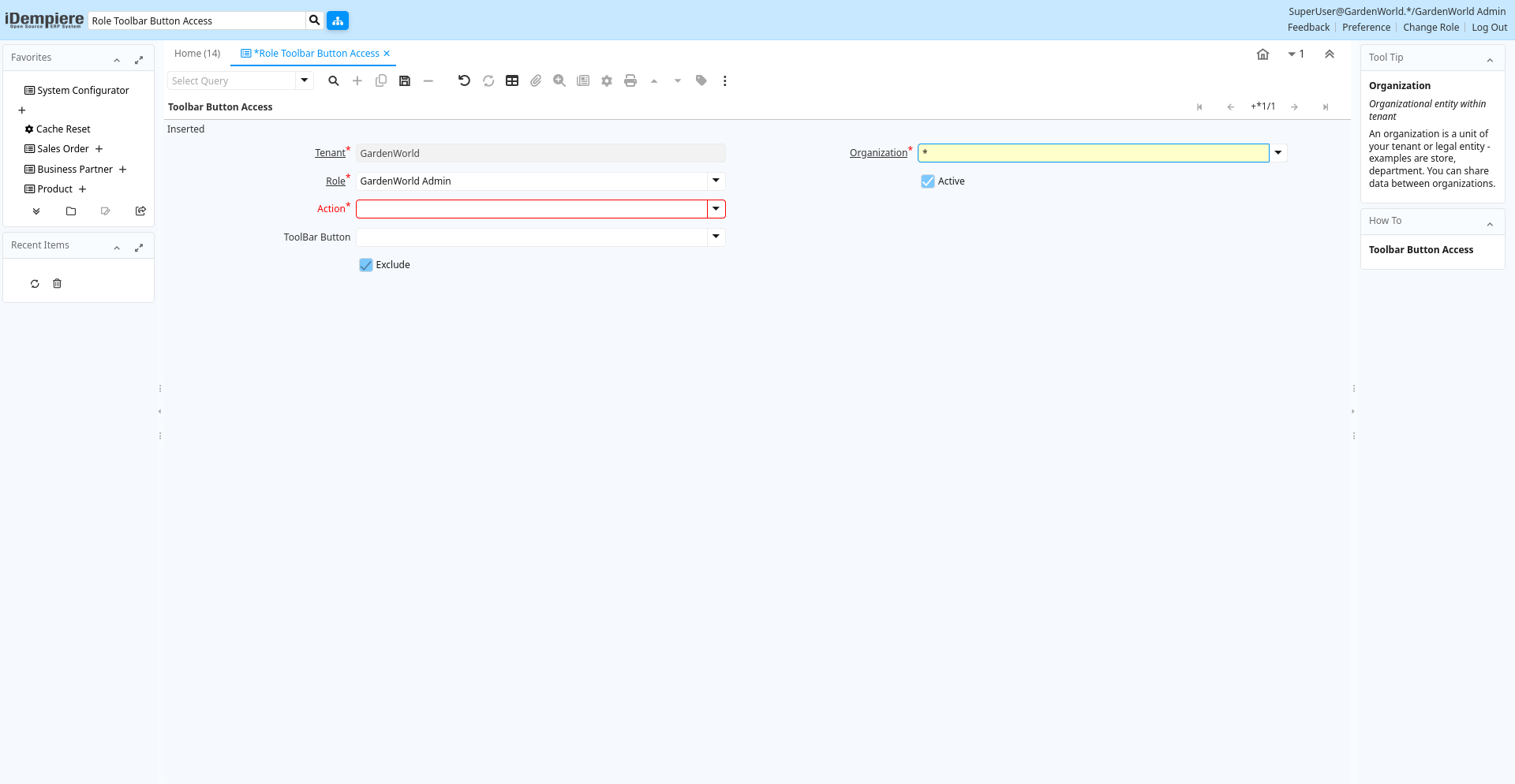
Tab: Toolbar Button Access
[Created: 28/03/2012 - Updated: 23/10/2012 ]
Description:
Help:
Tab Level: 0
Table 10: Toolbar Button Access - Fields
Table: Report Parameters
| Name | Description | Help | Technical Info |
|---|---|---|---|
| Tenant | Tenant for this installation. | A Tenant is a company or a legal entity. You cannot share data between Tenants. | ad_toolbarbuttonrestrict.AD_Client_ID numeric(10) Table Direct |
| Organization | Organizational entity within tenant | An organization is a unit of your tenant or legal entity - examples are store, department. You can share data between organizations. | ad_toolbarbuttonrestrict.AD_Org_ID numeric(10) Table Direct |
| Role | Responsibility Role | The Role determines security and access a user who has this Role will have in the System. | ad_toolbarbuttonrestrict.AD_Role_ID numeric(10) Table Direct |
| Active | The record is active in the system | There are two methods of making records unavailable in the system: One is to delete the record, the other is to de-activate the record. A de-activated record is not available for selection, but available for reports.There are two reasons for de-activating and not deleting records:(1) The system requires the record for audit purposes.(2) The record is referenced by other records. E.g., you cannot delete a Business Partner, if there are invoices for this partner record existing. You de-activate the Business Partner and prevent that this record is used for future entries. | ad_toolbarbuttonrestrict.IsActive character(1) Yes-No |
| Action | Indicates the Action to be performed | The Action field is a drop down list box which indicates the Action to be performed for this Item. | ad_toolbarbuttonrestrict.Action character(1) List |
| Process | Process or Report | The Process field identifies a unique Process or Report in the system. | ad_toolbarbuttonrestrict.AD_Process_ID numeric(10) Table Direct |
| Window | Data entry or display window | The Window field identifies a unique Window in the system. | ad_toolbarbuttonrestrict.AD_Window_ID numeric(10) Table Direct |
| Tab | Tab within a Window | The Tab indicates a tab that displays within a window. | ad_toolbarbuttonrestrict.AD_Tab_ID numeric(10) Table Direct |
| ToolBar Button | ad_toolbarbuttonrestrict.AD_ToolBarButton_ID numeric(10) Table Direct | ||
| Exclude | Exclude access to the data - if not selected Include access to the data | If selected (excluded), the role cannot access the data specified. If not selected (included), the role can ONLY access the data specified. Exclude items represent a negative list (i.e. you don't have access to the listed items). Include items represent a positive list (i.e. you only have access to the listed items).You would usually not mix Exclude and Include. If you have one include rule in your list, you would only have access to that item anyway. | ad_toolbarbuttonrestrict.IsExclude character(1) Yes-No |