Window: Menu user favourites
[Created: 27/10/2020 - Updated: 27/10/2020 ]
Description:
Help:
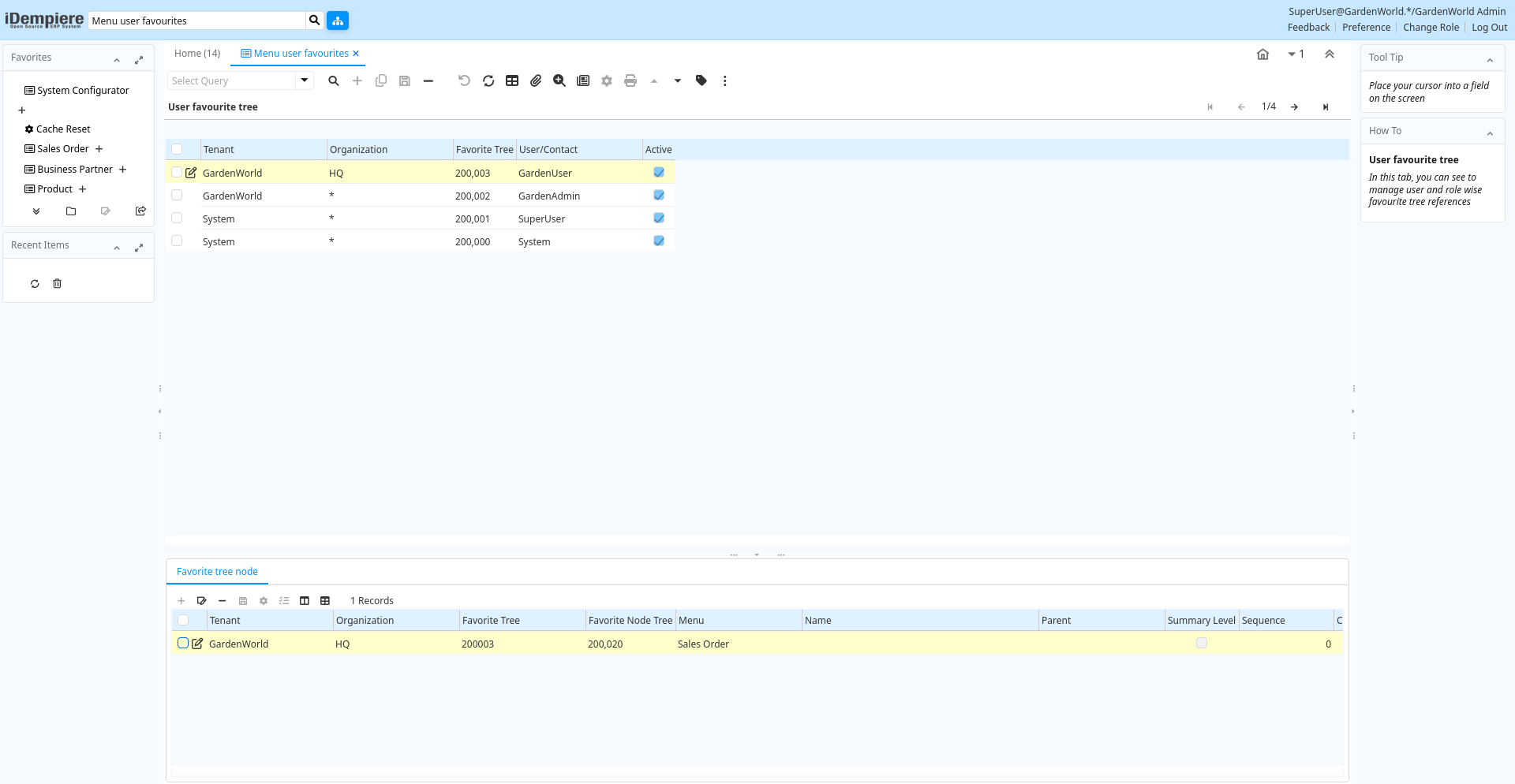
Tab: User favourite tree
[Created: 27/10/2020 - Updated: 13/09/2022 ]
Description: In this tab, you can see to manage user and role wise favourite tree references
Help:
Tab Level: 0
Table 10: User favourite tree - Fields
Table: Report Parameters
| Name | Description | Help | Technical Info |
|---|---|---|---|
| Tenant | Tenant for this installation. | A Tenant is a company or a legal entity. You cannot share data between Tenants. | ad_tree_favorite.AD_Client_ID numeric(10) Table Direct |
| Organization | Organizational entity within tenant | An organization is a unit of your tenant or legal entity - examples are store, department. You can share data between organizations. | ad_tree_favorite.AD_Org_ID numeric(10) Table Direct |
| User/Contact | User within the system - Internal or Business Partner Contact | The User identifies a unique user in the system. This could be an internal user or a business partner contact | ad_tree_favorite.AD_User_ID numeric(10) Table Direct |
| Favorite Tree | ad_tree_favorite.AD_Tree_Favorite_ID numeric(10) ID | ||
| Active | The record is active in the system | There are two methods of making records unavailable in the system: One is to delete the record, the other is to de-activate the record. A de-activated record is not available for selection, but available for reports.There are two reasons for de-activating and not deleting records:(1) The system requires the record for audit purposes.(2) The record is referenced by other records. E.g., you cannot delete a Business Partner, if there are invoices for this partner record existing. You de-activate the Business Partner and prevent that this record is used for future entries. | ad_tree_favorite.IsActive character(1) Yes-No |
Tab: Favorite tree node
[Created: 27/10/2020 - Updated: 13/09/2022 ]
Description:
Help:
Tab Level: 1
Table 20: Favorite tree node - Fields
Table: Report Parameters
| Name | Description | Help | Technical Info |
|---|---|---|---|
| Tenant | Tenant for this installation. | A Tenant is a company or a legal entity. You cannot share data between Tenants. | ad_tree_favorite_node.AD_Client_ID numeric(10) Table Direct |
| Organization | Organizational entity within tenant | An organization is a unit of your tenant or legal entity - examples are store, department. You can share data between organizations. | ad_tree_favorite_node.AD_Org_ID numeric(10) Table Direct |
| Favorite Tree | ad_tree_favorite_node.AD_Tree_Favorite_ID numeric(10) Table Direct | ||
| Favorite Node Tree | ad_tree_favorite_node.AD_Tree_Favorite_Node_ID numeric(10) ID | ||
| Menu | Identifies a Menu | The Menu identifies a unique Menu. Menus are used to control the display of those screens a user has access to. | ad_tree_favorite_node.AD_Menu_ID numeric(10) Table Direct |
| Parent | Parent of Entity | The Parent indicates the value used to represent the next level in a hierarchy or report to level for a record | ad_tree_favorite_node.Parent_ID numeric(10) Table |
| Name | Alphanumeric identifier of the entity | The name of an entity (record) is used as an default search option in addition to the search key. The name is up to 60 characters in length. | ad_tree_favorite_node.Name character varying(120) String |
| Active | The record is active in the system | There are two methods of making records unavailable in the system: One is to delete the record, the other is to de-activate the record. A de-activated record is not available for selection, but available for reports.There are two reasons for de-activating and not deleting records:(1) The system requires the record for audit purposes.(2) The record is referenced by other records. E.g., you cannot delete a Business Partner, if there are invoices for this partner record existing. You de-activate the Business Partner and prevent that this record is used for future entries. | ad_tree_favorite_node.IsActive character(1) Yes-No |
| Collapsible | Flag to indicate the state of the dashboard panel | Flag to indicate the state of the dashboard panel (i.e. collapsible or static) | ad_tree_favorite_node.IsCollapsible character(1) Yes-No |
| Sequence | Method of ordering records; lowest number comes first | The Sequence indicates the order of records | ad_tree_favorite_node.SeqNo numeric(10) Integer |
| Favourite | This record is a favourite | ad_tree_favorite_node.IsFavourite character(1) Yes-No | |
| Login automatic open sequence | Determine the order items will be automatically opened when user logs in | ad_tree_favorite_node.LoginOpenSeqNo numeric(10) Integer | |
| Summary Level | This is a summary entity | A summary entity represents a branch in a tree rather than an end-node. Summary entities are used for reporting and do not have own values. | ad_tree_favorite_node.IsSummary character(1) Yes-No |