Window: Toolbar Button
[Created: 28/03/2012 - Updated: 23/10/2012 ]
Description:
Help:
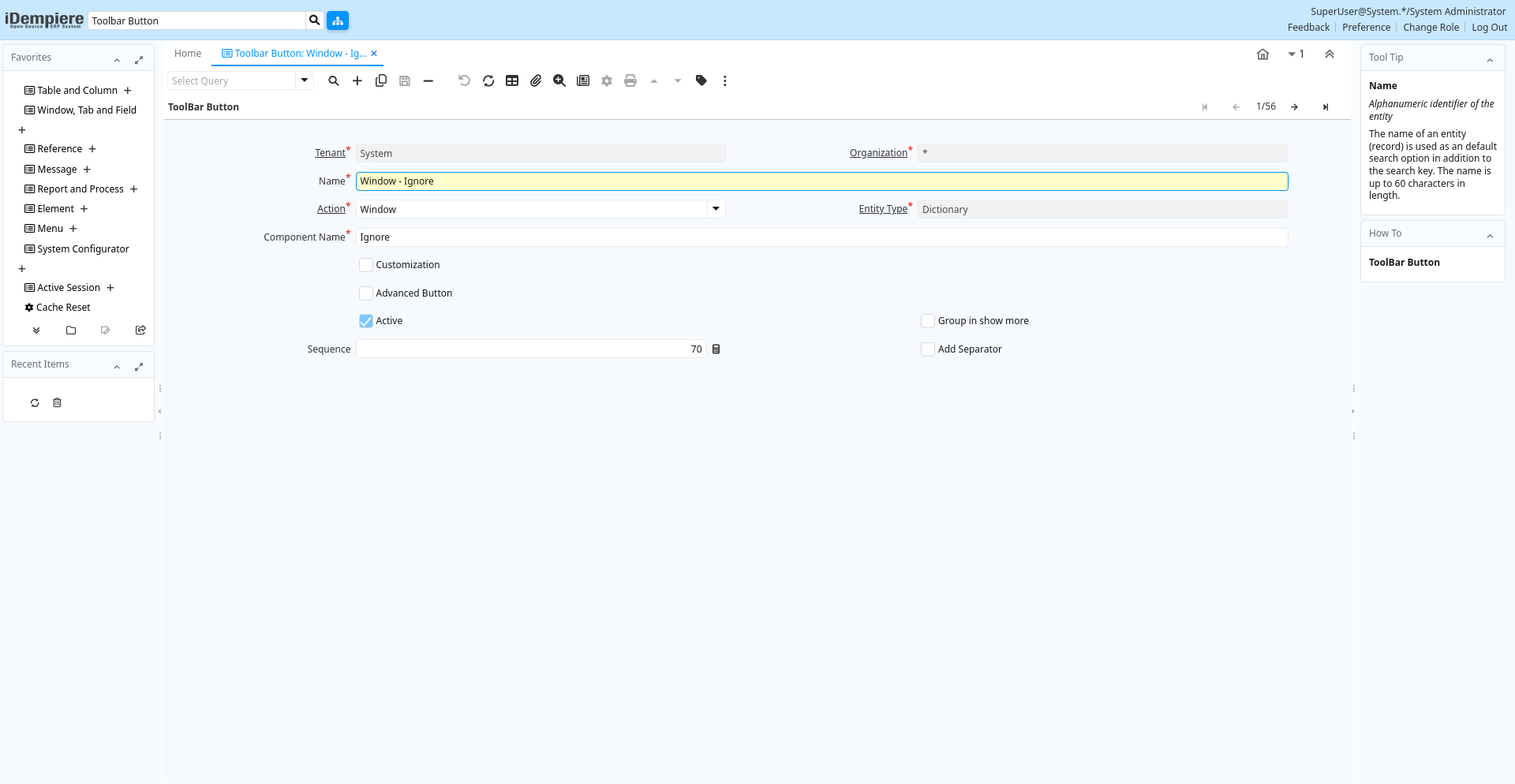
Tab: ToolBar Button
[Created: 28/03/2012 - Updated: 24/10/2012 ]
Description:
Help:
Tab Level: 0
Table 10: ToolBar Button - Fields
Table: Report Parameters
| Name | Description | Help | Technical Info |
|---|---|---|---|
| Tenant | Tenant for this installation. | A Tenant is a company or a legal entity. You cannot share data between Tenants. | ad_toolbarbutton.AD_Client_ID numeric(10) Table Direct |
| Organization | Organizational entity within tenant | An organization is a unit of your tenant or legal entity - examples are store, department. You can share data between organizations. | ad_toolbarbutton.AD_Org_ID numeric(10) Table Direct |
| Name | Alphanumeric identifier of the entity | The name of an entity (record) is used as an default search option in addition to the search key. The name is up to 60 characters in length. | ad_toolbarbutton.Name character varying(60) String |
| Action | Indicates the Action to be performed | The Action field is a drop down list box which indicates the Action to be performed for this Item. | ad_toolbarbutton.Action character(1) List |
| Entity Type | Dictionary Entity Type; Determines ownership and synchronization | The Entity Types "Dictionary", "iDempiere" and "Application" might be automatically synchronized and customizations deleted or overwritten. For customizations, copy the entity and select "User"! | ad_toolbarbutton.EntityType character varying(40) Table |
| Component Name | ad_toolbarbutton.ComponentName character varying(255) String | ||
| Customization | The change is a customization of the data dictionary and can be applied after Migration | The migration "resets" the system to the current/original setting. If selected you can save the customization and re-apply it. Please note that you need to check, if your customization has no negative side effect in the new release. | ad_toolbarbutton.IsCustomization character(1) Yes-No |
| Service Component Name | The service component name that implements the interface for toolbar actions | The OSGi service component name that implements the IAction interface for toolbar action | ad_toolbarbutton.ActionClassName character varying(255) String |
| Advanced Button | This Button contains advanced Functionality | The button with advanced functionality is only displayed for role that can access advanced functionality | ad_toolbarbutton.IsAdvancedButton character(1) Yes-No |
| Active | The record is active in the system | There are two methods of making records unavailable in the system: One is to delete the record, the other is to de-activate the record. A de-activated record is not available for selection, but available for reports.There are two reasons for de-activating and not deleting records:(1) The system requires the record for audit purposes.(2) The record is referenced by other records. E.g., you cannot delete a Business Partner, if there are invoices for this partner record existing. You de-activate the Business Partner and prevent that this record is used for future entries. | ad_toolbarbutton.IsActive character(1) Yes-No |
| Group in show more | ad_toolbarbutton.IsShowMore character(1) Yes-No | ||
| Pressed Logic | ad_toolbarbutton.PressedLogic character varying(2000) Text | ||
| Display Logic | If the Field is displayed, the result determines if the field is actually displayed | format := {expression} [{logic} {expression}] expression := @{context}@{operand}{value} or @{context}@{operand}{value} logic := { | } |
| Read Only Logic | Logic to determine if field is read only (applies only when field is read-write) | format := {expression} [{logic} {expression}] expression := @{context}@{operand}{value} or @{context}@{operand}{value} logic := { | } |
| Sequence | Method of ordering records; lowest number comes first | The Sequence indicates the order of records | ad_toolbarbutton.SeqNo numeric(10) Integer |
| Add Separator | ad_toolbarbutton.IsAddSeparator character(1) Yes-No |