Window: Counter Document
[Created: 14/04/2004 - Updated: 02/01/2000 ]
Description: Maintain Counter Document Types
Help: When using explicit documents for inter-org transaction (after linking a Business Partner to an Organization), you can determine what document type the counter document is based on the document type of the original transaction. Example: a "Standard Order" creates a "Standard PO". If you define a relationship here, you overwrite the default counter document type in the Document Type definition. This allows you to define a specific mapping.If not defined, the first matching document type is used (e.g. AR Invoice - first AP Invoice document type)
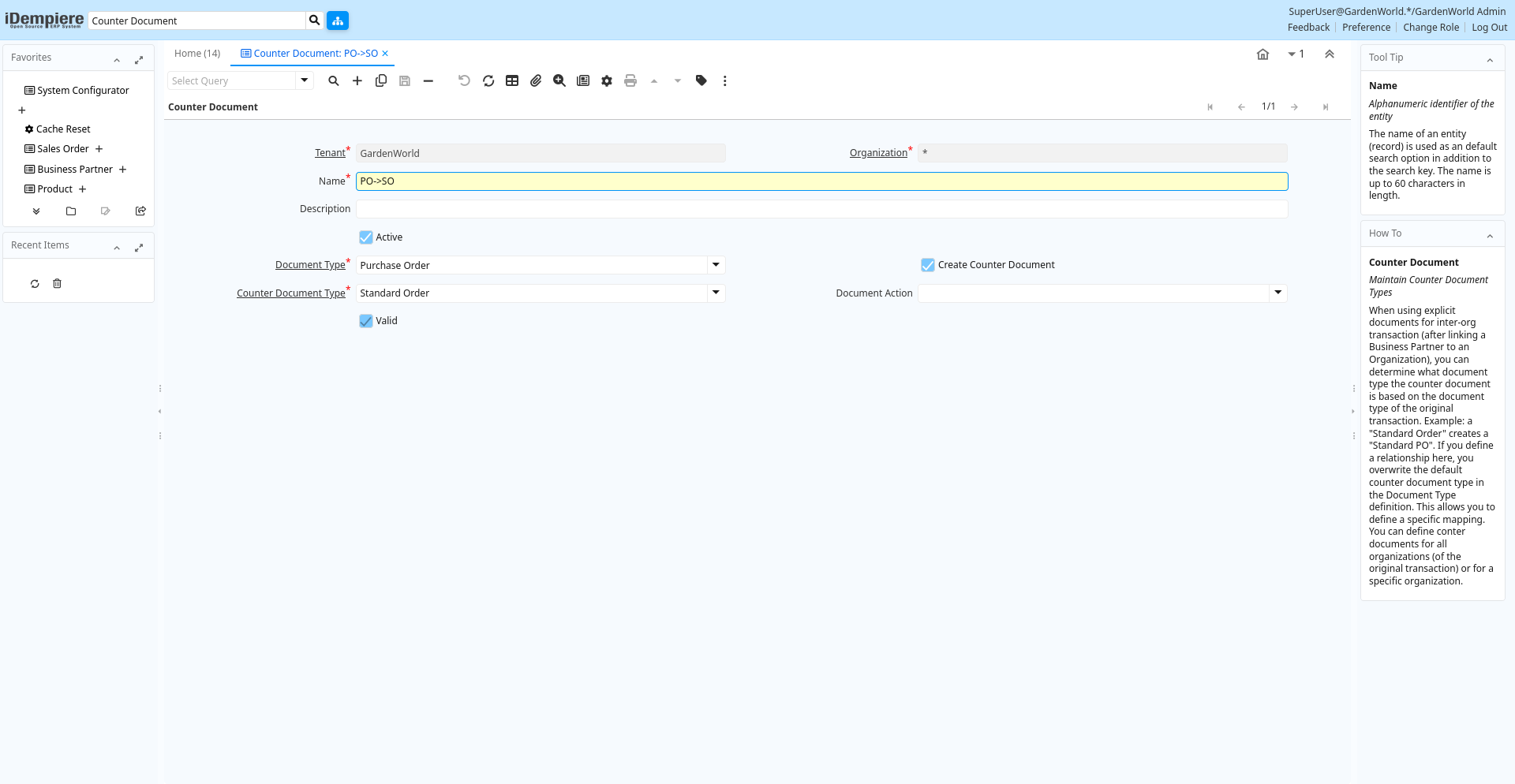
Tab: Counter Document
[Created: 14/04/2004 - Updated: 02/01/2000 ]
Description: Maintain Counter Document Types
Help: When using explicit documents for inter-org transaction (after linking a Business Partner to an Organization), you can determine what document type the counter document is based on the document type of the original transaction. Example: a "Standard Order" creates a "Standard PO". If you define a relationship here, you overwrite the default counter document type in the Document Type definition. This allows you to define a specific mapping.You can define conter documents for all organizations (of the original transaction) or for a specific organization.
Tab Level: 0
Table 10: Counter Document - Fields
Table: Report Parameters
| Name | Description | Help | Technical Info |
|---|---|---|---|
| Tenant | Tenant for this installation. | A Tenant is a company or a legal entity. You cannot share data between Tenants. | c_doctypecounter.AD_Client_ID numeric(10) Table Direct |
| Organization | Organizational entity within tenant | An organization is a unit of your tenant or legal entity - examples are store, department. You can share data between organizations. | c_doctypecounter.AD_Org_ID numeric(10) Table Direct |
| Name | Alphanumeric identifier of the entity | The name of an entity (record) is used as an default search option in addition to the search key. The name is up to 60 characters in length. | c_doctypecounter.Name character varying(60) String |
| Description | Optional short description of the record | A description is limited to 255 characters. | c_doctypecounter.Description character varying(255) String |
| Active | The record is active in the system | There are two methods of making records unavailable in the system: One is to delete the record, the other is to de-activate the record. A de-activated record is not available for selection, but available for reports.There are two reasons for de-activating and not deleting records:(1) The system requires the record for audit purposes.(2) The record is referenced by other records. E.g., you cannot delete a Business Partner, if there are invoices for this partner record existing. You de-activate the Business Partner and prevent that this record is used for future entries. | c_doctypecounter.IsActive character(1) Yes-No |
| Document Type | Document type or rules | The Document Type determines document sequence and processing rules | c_doctypecounter.C_DocType_ID numeric(10) Table Direct |
| Create Counter Document | Create Counter Document | If selected, create specified counter document. If not selected, no counter document is created for the document type. | c_doctypecounter.IsCreateCounter character(1) Yes-No |
| Counter Document Type | Generated Counter Document Type (To) | The Document Type of the generated counter document | c_doctypecounter.Counter_C_DocType_ID numeric(10) Table |
| Document Action | The targeted status of the document | You find the current status in the Document Status field. The options are listed in a popup | c_doctypecounter.DocAction character(2) List |
| Valid | Element is valid | The element passed the validation check | c_doctypecounter.IsValid character(1) Yes-No |
| Validate Document Type | c_doctypecounter.Processing character(1) Button |