Window: Import Report Line Set
[Created: 11/01/2003 - Updated: 02/01/2000 ]
Description: Import Report Line Sets
Help: The Import Report Line Set Window is an interim table which is used when importing external data into the system. Selecting the 'Process' button will either add or modify the appropriate records.
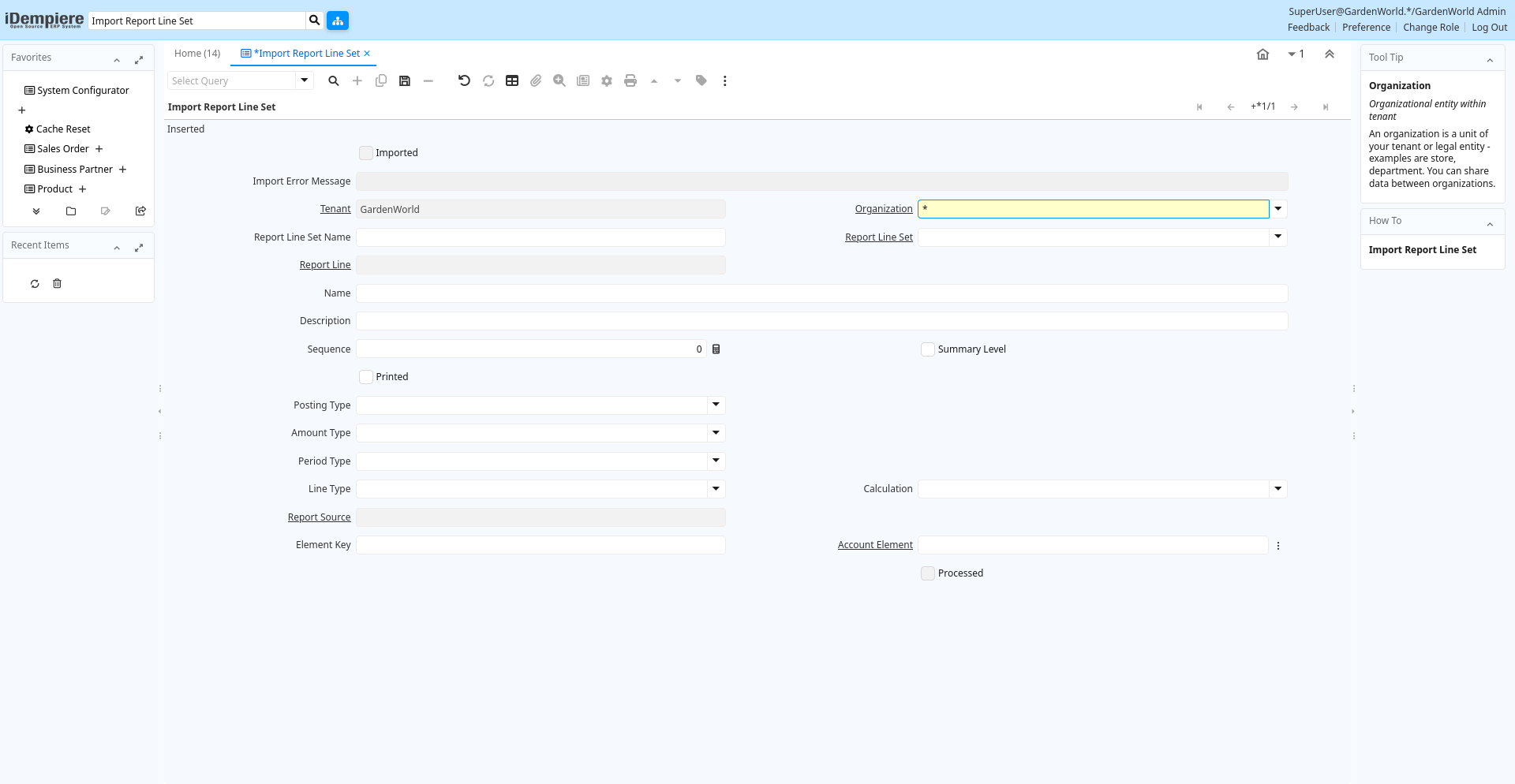
Tab: Import Report Line Set
[Created: 11/01/2003 - Updated: 02/01/2000 ]
Description:
Help:
Tab Level: 0
Table 10: Import Report Line Set - Fields
Table: Report Parameters
| Name | Description | Help | Technical Info |
|---|---|---|---|
| Import Report Line Set | Import Report Line Set values | i_reportline.I_ReportLine_ID numeric(10) ID | |
| Imported | Has this import been processed | The Imported check box indicates if this import has been processed. | i_reportline.I_IsImported character(1) Yes-No |
| Import Error Message | Messages generated from import process | The Import Error Message displays any error messages generated during the import process. | i_reportline.I_ErrorMsg character varying(2000) String |
| Tenant | Tenant for this installation. | A Tenant is a company or a legal entity. You cannot share data between Tenants. | i_reportline.AD_Client_ID numeric(10) Table Direct |
| Organization | Organizational entity within tenant | An organization is a unit of your tenant or legal entity - examples are store, department. You can share data between organizations. | i_reportline.AD_Org_ID numeric(10) Table Direct |
| Report Line Set Name | Name of the Report Line Set | i_reportline.ReportLineSetName character varying(60) String | |
| Report Line Set | i_reportline.PA_ReportLineSet_ID numeric(10) Table Direct | ||
| Report Line | i_reportline.PA_ReportLine_ID numeric(10) Table Direct | ||
| Name | Alphanumeric identifier of the entity | The name of an entity (record) is used as an default search option in addition to the search key. The name is up to 60 characters in length. | i_reportline.Name character varying(60) String |
| Description | Optional short description of the record | A description is limited to 255 characters. | i_reportline.Description character varying(255) String |
| Sequence | Method of ordering records; lowest number comes first | The Sequence indicates the order of records | i_reportline.SeqNo numeric(10) Integer |
| Summary Level | This is a summary entity | A summary entity represents a branch in a tree rather than an end-node. Summary entities are used for reporting and do not have own values. | i_reportline.IsSummary character(1) Yes-No |
| Printed | Indicates if this document / line is printed | The Printed checkbox indicates if this document or line will included when printing. | i_reportline.IsPrinted character(1) Yes-No |
| Posting Type | The type of posted amount for the transaction | The Posting Type indicates the type of amount (Actual, Budget, Reservation, Commitment, Statistical) the transaction. | i_reportline.PostingType character(1) List |
| Amount Type | PA Amount Type for reporting | The amount type to report on: Quantity, Credit Only, Debit Only, Balance (expected sign) or Balance (accounted sign). "Expected sign" adjusts the sign of the result based on the Account Type and Expected Sign of each Account Element, whereas "accounted sign" always returns DR-CR. | i_reportline.PAAmountType character(1) List |
| Period Type | PA Period Type | The Period Type to report on: Period, Year, Total or Natural. Natural = Year for P & L accounts, Total for Balance Sheet accounts. | i_reportline.PAPeriodType character(1) List |
| Line Type | i_reportline.LineType character(1) List | ||
| Calculation | i_reportline.CalculationType character(1) List | ||
| Report Source | Restriction of what will be shown in Report Line | i_reportline.PA_ReportSource_ID numeric(10) Table Direct | |
| Element Key | Key of the element | i_reportline.ElementValue character varying(40) String | |
| Account Element | Account Element | Account Elements can be natural accounts or user defined values. | i_reportline.C_ElementValue_ID numeric(10) Search |
| Import Report Line Set | Import Report Line Set information | The Parameters are default values for null import record values, they do not overwrite any data. | i_reportline.Processing character(1) Button |
| Processed | The document has been processed | The Processed checkbox indicates that a document has been processed. | i_reportline.Processed character(1) Yes-No |