Window: POS Payment
[Created: 06/09/2012 - Updated: 06/09/2012 ]
Description:
Help:
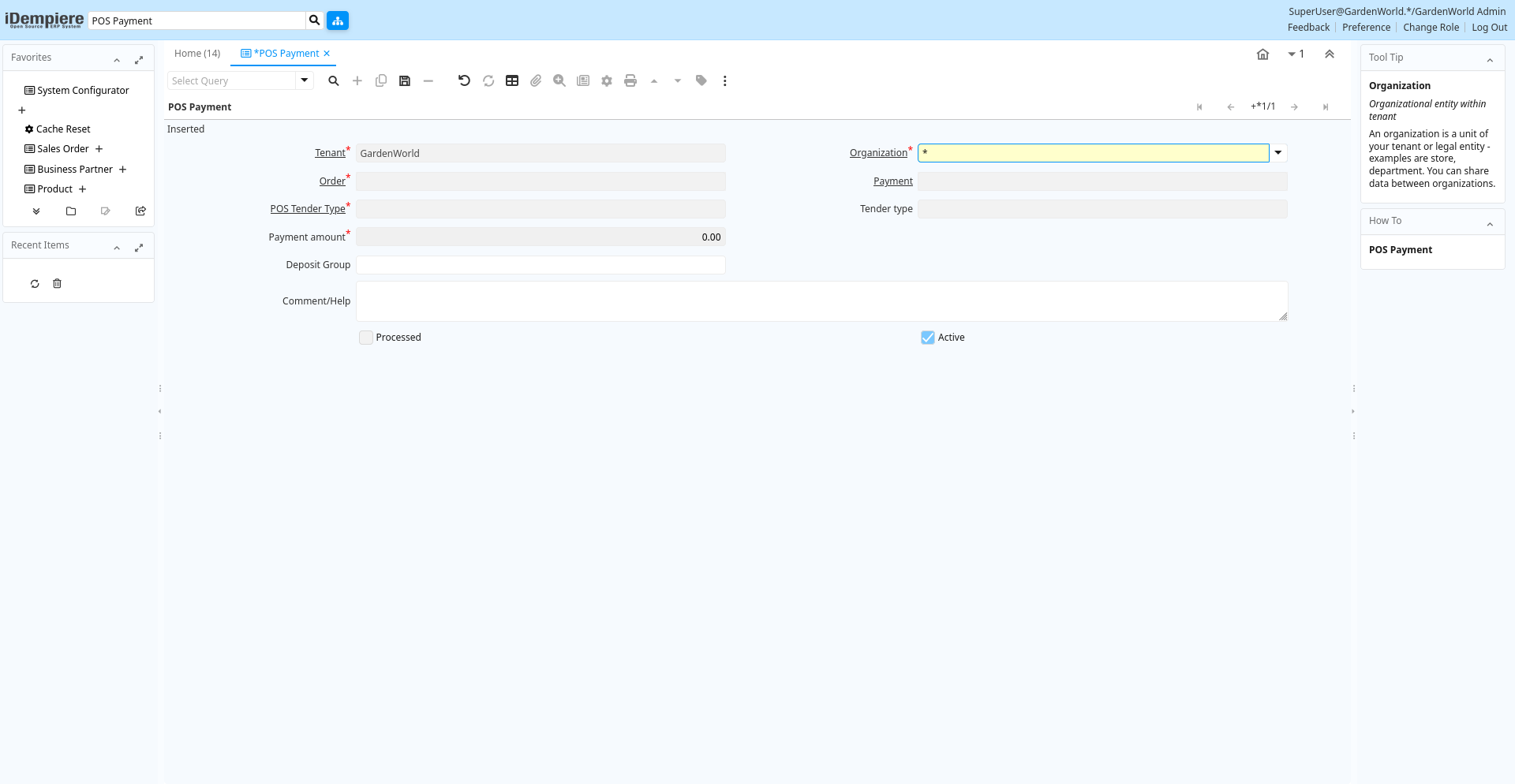
Tab: POS Payment
[Created: 06/09/2012 - Updated: 06/09/2012 ]
Description:
Help:
Tab Level: 0
Table 10: POS Payment - Fields
Table: Report Parameters
| Name | Description | Help | Technical Info |
|---|---|---|---|
| Tenant | Tenant for this installation. | A Tenant is a company or a legal entity. You cannot share data between Tenants. | c_pospayment.AD_Client_ID numeric(10) Table Direct |
| Organization | Organizational entity within tenant | An organization is a unit of your tenant or legal entity - examples are store, department. You can share data between organizations. | c_pospayment.AD_Org_ID numeric(10) Table Direct |
| Order | Order | The Order is a control document. The Order is complete when the quantity ordered is the same as the quantity shipped and invoiced. When you close an order, unshipped (backordered) quantities are cancelled. | c_pospayment.C_Order_ID numeric(10) Search |
| Payment | Payment identifier | The Payment is a unique identifier of this payment. | c_pospayment.C_Payment_ID numeric(10) Search |
| POS Tender Type | c_pospayment.C_POSTenderType_ID numeric(10) Table Direct | ||
| Tender type | Method of Payment | The Tender Type indicates the method of payment (ACH or Direct Deposit, Credit Card, Check, Direct Debit) | c_pospayment.TenderType character(1) List |
| Payment amount | Amount being paid | Indicates the amount this payment is for. The payment amount can be for single or multiple invoices or a partial payment for an invoice. | c_pospayment.PayAmt numeric Amount |
| Account Name | Name on Credit Card or Account holder | The Name of the Credit Card or Account holder. | c_pospayment.A_Name character varying(60) String |
| Routing No | Bank Routing Number | The Bank Routing Number (ABA Number) identifies a legal Bank. It is used in routing checks and electronic transactions. | c_pospayment.RoutingNo character varying(20) String |
| Check No | Check Number | The Check Number indicates the number on the check. | c_pospayment.CheckNo character varying(20) String |
| Account No | Account Number | The Account Number indicates the Number assigned to this bank account. | c_pospayment.AccountNo character varying(20) String |
| Micr | Combination of routing no, account and check no | The Micr number is the combination of the bank routing number, account number and check number | c_pospayment.Micr character varying(20) String |
| IBAN | International Bank Account Number | If your bank provides an International Bank Account Number, enter it hereDetails ISO 13616 and http://www.ecbs.org. The account number has the maximum length of 22 characters (without spaces). The IBAN is often printed with a apace after 4 characters. Do not enter the spaces in iDempiere. | c_pospayment.IBAN character varying(40) String |
| Swift code | Swift Code or BIC | The Swift Code (Society of Worldwide Interbank Financial Telecommunications) or BIC (Bank Identifier Code) is an identifier of a Bank. The first 4 characters are the bank code, followed by the 2 character country code, the two character location code and optional 3 character branch code. For details see http://www.swift.com/biconline/index.cfm | c_pospayment.SwiftCode character varying(20) String |
| Post Dated | c_pospayment.IsPostDated character(1) Yes-No | ||
| Date Promised | Date Order was promised | The Date Promised indicates the date, if any, that an Order was promised for. | c_pospayment.DatePromised timestamp without time zone Date |
| Check Status | c_pospayment.CheckStatus character(1) List | ||
| Credit Card | Credit Card (Visa, MC, AmEx) | The Credit Card drop down list box is used for selecting the type of Credit Card presented for payment. | c_pospayment.CreditCardType character(1) List |
| Number | Credit Card Number | The Credit Card number indicates the number on the credit card, without blanks or spaces. | c_pospayment.CreditCardNumber character varying(20) String |
| Voice authorization code | Voice Authorization Code from credit card company | The Voice Authorization Code indicates the code received from the Credit Card Company. | c_pospayment.VoiceAuthCode character varying(20) String |
| Deposit Group | c_pospayment.DepositGroup character varying(20) String | ||
| Comment/Help | Comment or Hint | The Help field contains a hint, comment or help about the use of this item. | c_pospayment.Help character varying(2000) Text |
| Processed | The document has been processed | The Processed checkbox indicates that a document has been processed. | c_pospayment.Processed character(1) Yes-No |
| Active | The record is active in the system | There are two methods of making records unavailable in the system: One is to delete the record, the other is to de-activate the record. A de-activated record is not available for selection, but available for reports.There are two reasons for de-activating and not deleting records:(1) The system requires the record for audit purposes.(2) The record is referenced by other records. E.g., you cannot delete a Business Partner, if there are invoices for this partner record existing. You de-activate the Business Partner and prevent that this record is used for future entries. | c_pospayment.IsActive character(1) Yes-No |